How to Use ClothCast
Set up AI virtual try-on on your Shopify store in minutes — no code required.
Setting Up Your Store
Install ClothCast and configure it for your store
Install ClothCast
Go to the Shopify App Store and search for ClothCast, or use the direct link from our website. Click Install and approve the permissions.
ClothCast only requires read_products — read-only access to your product catalog. No write permissions needed.
Activate the App Embed in Your Theme
The Try-On button is delivered as a Theme App Extension. To activate it:
- In Shopify Admin, go to Online Store → Themes → Customize
- Click the App Embeds icon (puzzle piece) in the left sidebar
- Find ClothCast Virtual Try-On and toggle it ON
- Click Save
The Try-On button will now appear automatically on all product pages.
Explore Your Dashboard
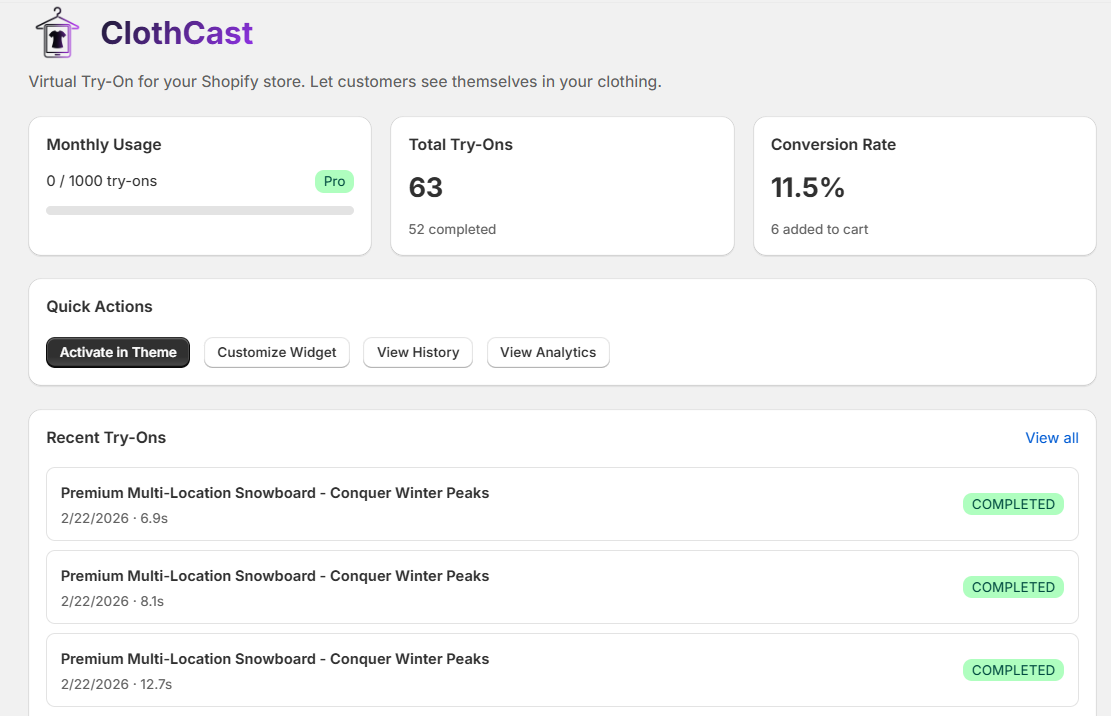
The Dashboard gives you an overview of your store's try-on activity: monthly usage, total try-ons, conversion rate, and recent try-on history.
Quick Actions let you jump to Customize Widget, View History, and View Analytics in one click.
Configure Widget Settings
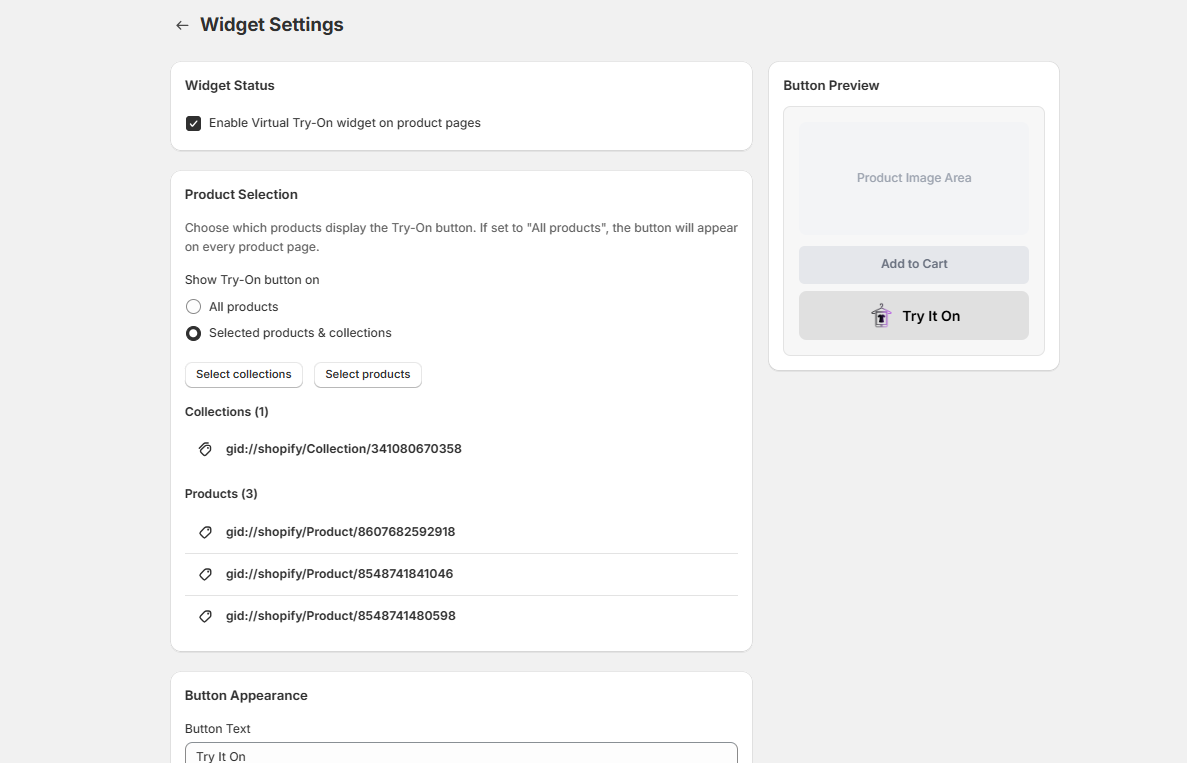
Go to Customize Widget from the dashboard. Here you can:
- Widget Status — enable or disable the Try-On button globally
- Product Selection — show the button on all products, or only selected products & collections (Pro plan)
- Per-visitor daily limit — set max try-ons per customer per day (Starter plan+)
All changes are saved instantly and reflected live on your storefront.
Customize the Button Appearance
Scroll down in Widget Settings to Button Appearance (Starter plan and above). You can customize:
- Button Text — e.g., "Try It On", "See It On Me", "Virtual Try-On"
- Background Color — match your store's primary color
- Text Color — white, dark, or any custom color
- Border Radius — from square to fully rounded pill
- Logo Toggle — show or hide the ClothCast icon
- Logo Variant — gradient (dark) or white icon for dark buttons
The Button Preview on the right updates live as you change settings.
Track Performance with Analytics
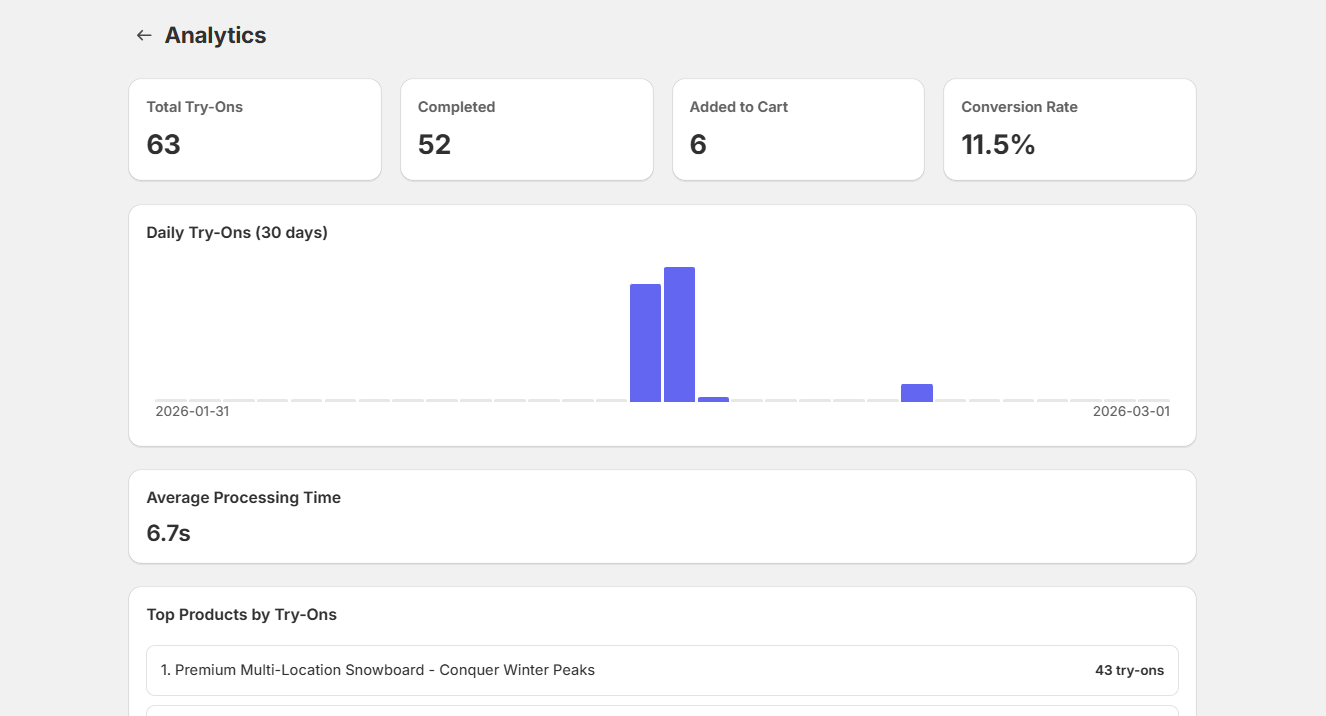
The Analytics page (Starter plan+) shows:
- Total try-ons and completion rate
- Add-to-Cart conversions from try-ons
- Average AI processing time
- Daily try-ons chart for the past 30 days
- Top products by number of try-ons
Browse Try-On History
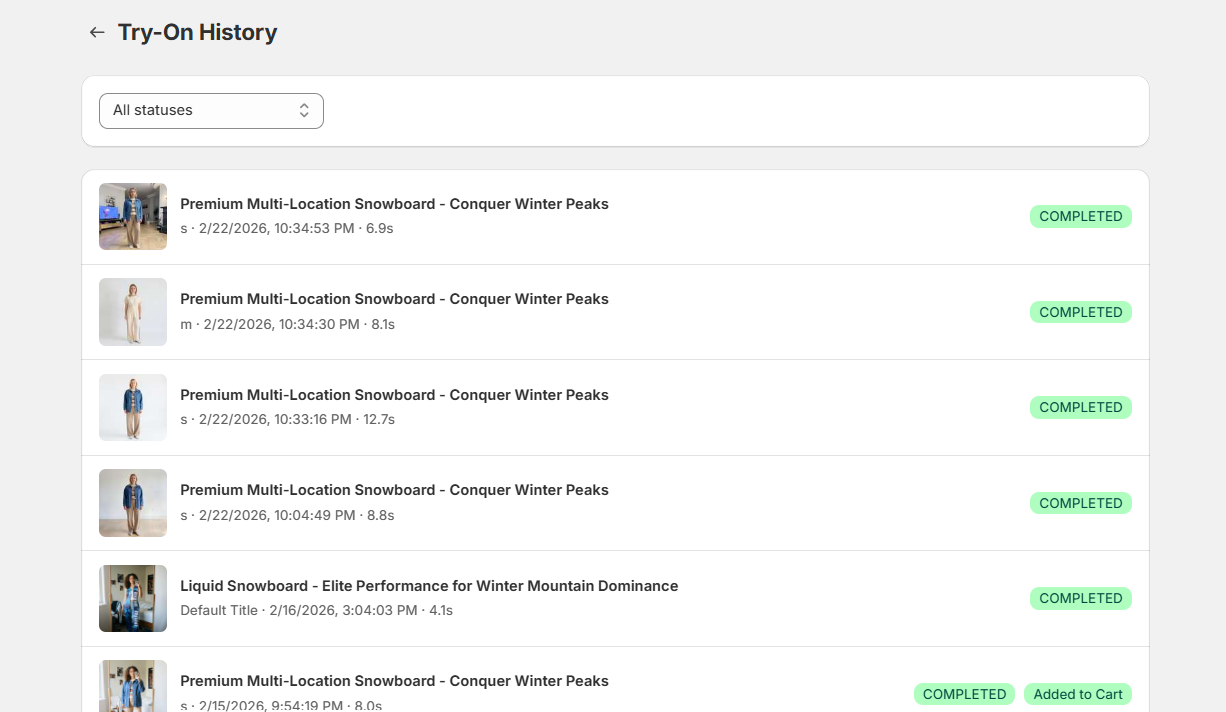
The Try-On History page shows a full log of all try-ons with product name, thumbnail, timestamp, processing time, and completion status.
Use the status filter to view only Completed, Added to Cart, or failed try-ons. Thumbnails show the AI-generated result (available for 24h).
Manage Your Plan
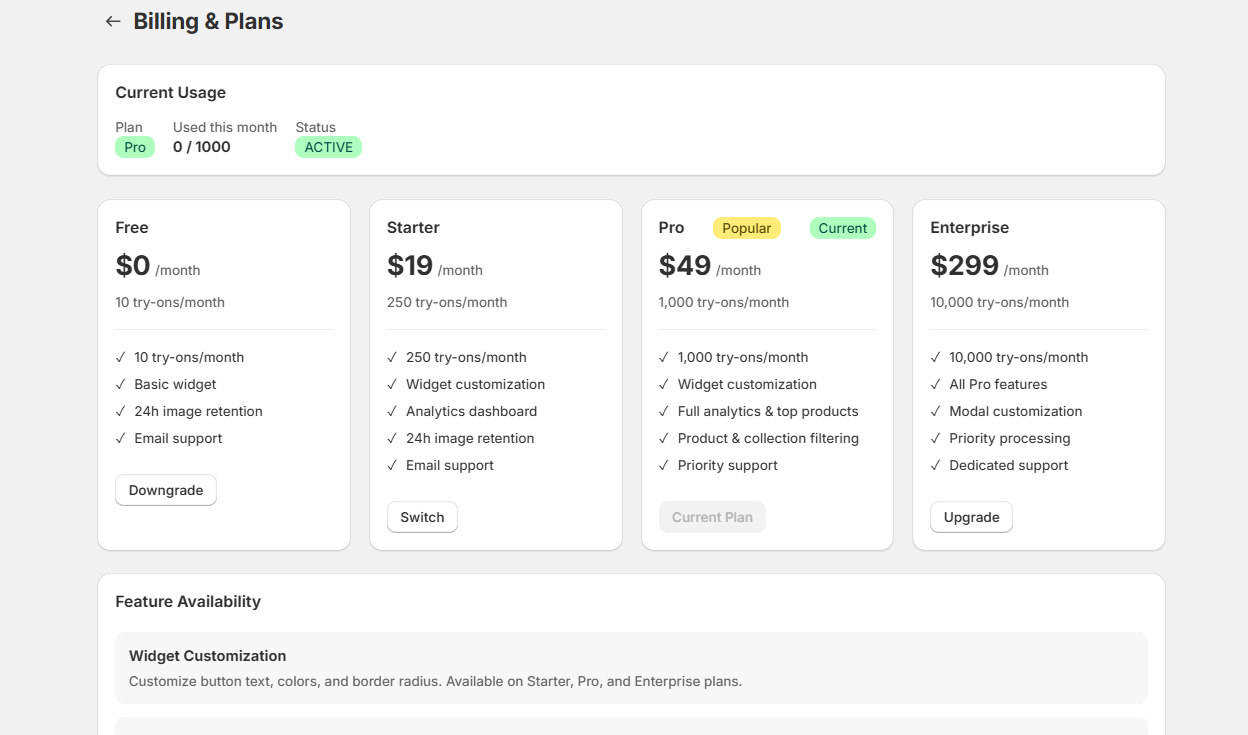
Go to Billing & Plans to see your current usage, plan details, and available upgrade options.
- Free — 10 try-ons/month, no credit card required
- Starter $19/mo — 250 try-ons + widget customization
- Pro $49/mo — 1,000 try-ons + product filtering + analytics
- Enterprise $299/mo — 10,000 try-ons + all features
Upgrades take effect immediately. You can downgrade or cancel at any time.
The Customer Experience
What your shoppers see on your product pages
Customer Clicks "Try It On"
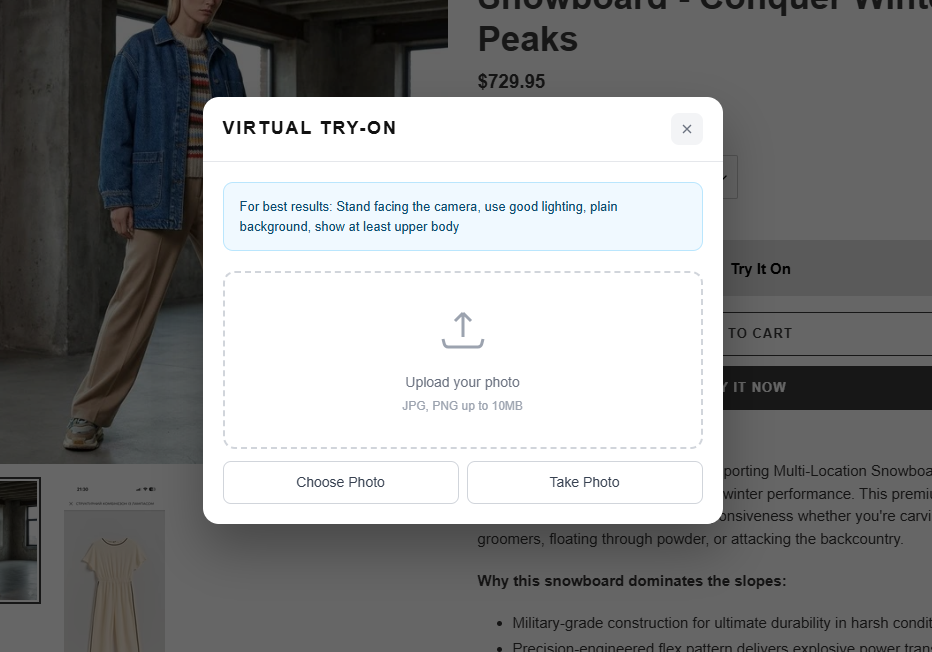
On any product page, below the Add to Cart button, the customer sees the Try It On button. Clicking it opens a clean modal overlay.
The modal shows a tip about taking a good selfie, an upload dropzone, and two buttons: Choose Photo (gallery) and Take Photo (camera). No sign-in required.
Upload a Selfie
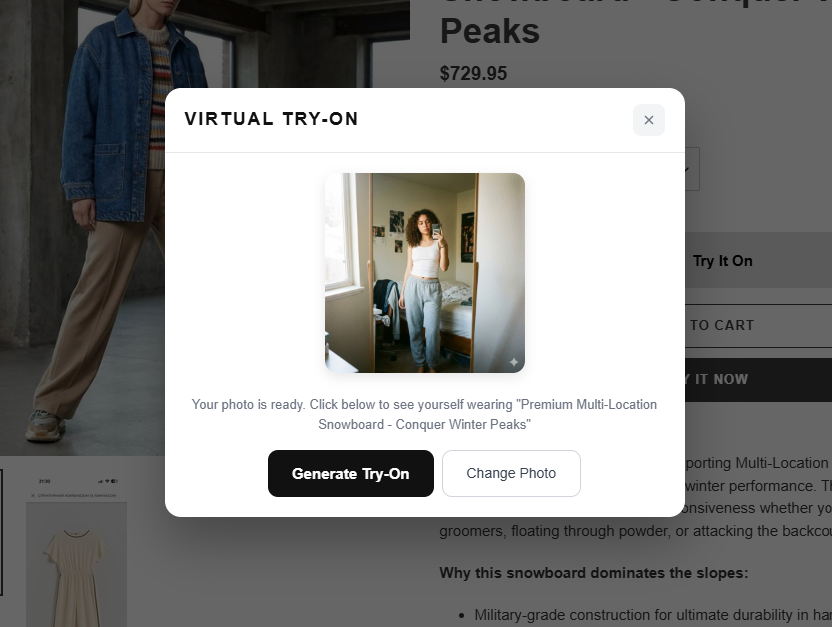
After uploading, the selfie is previewed in the modal. The customer can:
- Click Generate Try-On to start the AI generation
- Click Change Photo to pick a different image
The selfie is stored in their browser session — they won't need to upload again for other products on your store.
View Result & Add to Cart
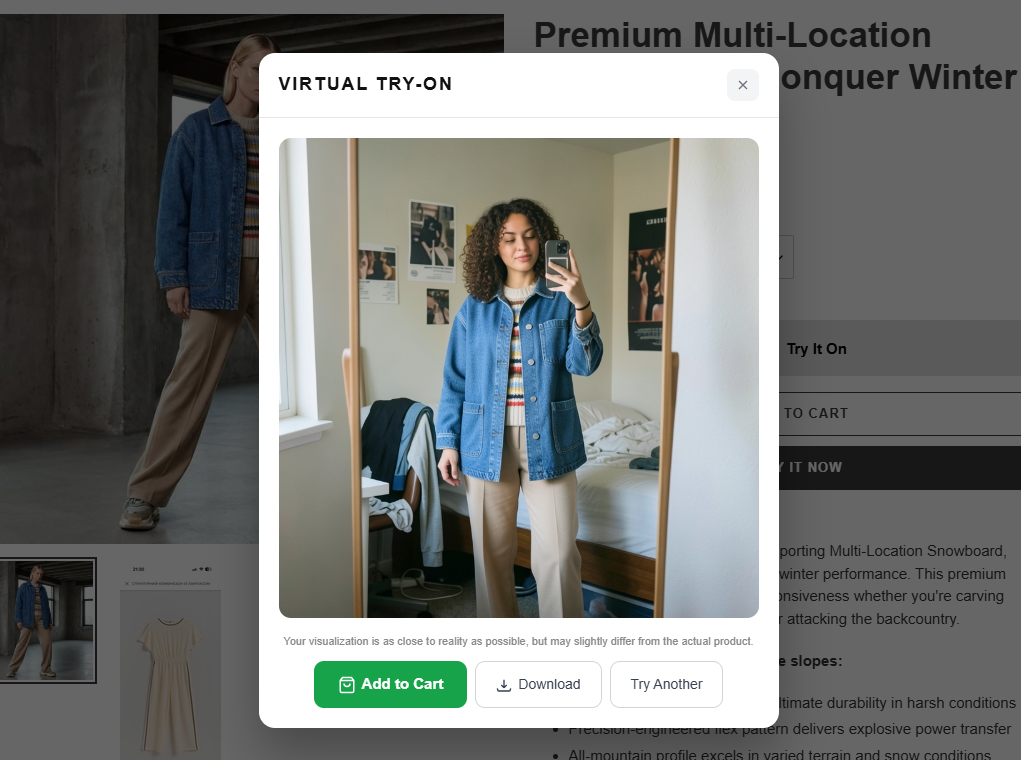
In 10–15 seconds, the AI-generated result appears in the modal. The customer sees themselves wearing the product. They can:
- Add to Cart — adds the product directly to cart from the modal
- Download — save the result image to their device
- Try Another — go back to try a different photo
A disclaimer below the result image clarifies that the visualization is close to reality but may slightly differ from the actual product.
Ready to add virtual try-on to your store?
Free plan · No credit card · Works on any theme